Login
You can get into eZUS using any of these options that work for foreigners:
- login and password
- Profil Zaufany
- through your bank
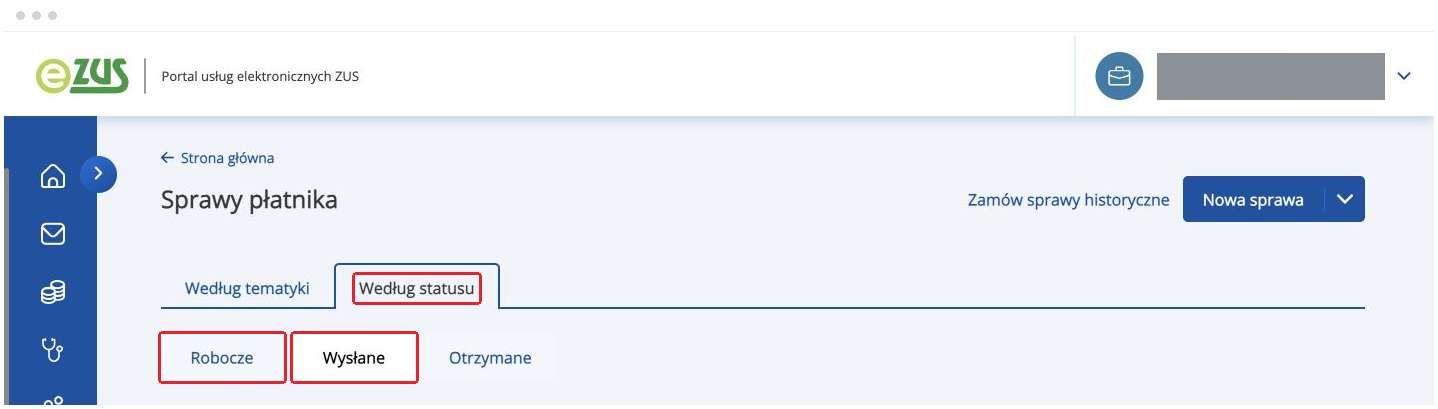
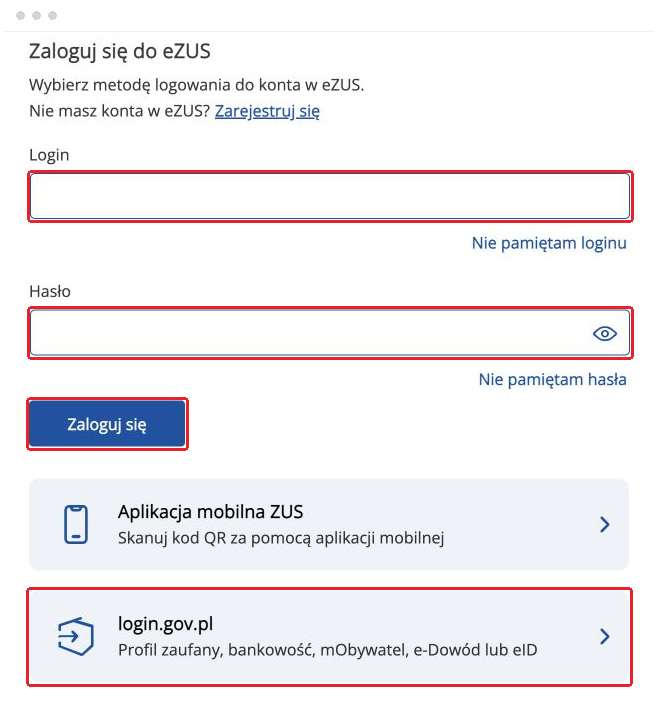
To sign in with a password, fill in Login and Hasło, then click Zaloguj się. For Profil Zaufany or bank authentication, choose login.gov.pl.
If one of them is flaky right now, just try another.
Still can't get into eZUS?
Choosing an Account
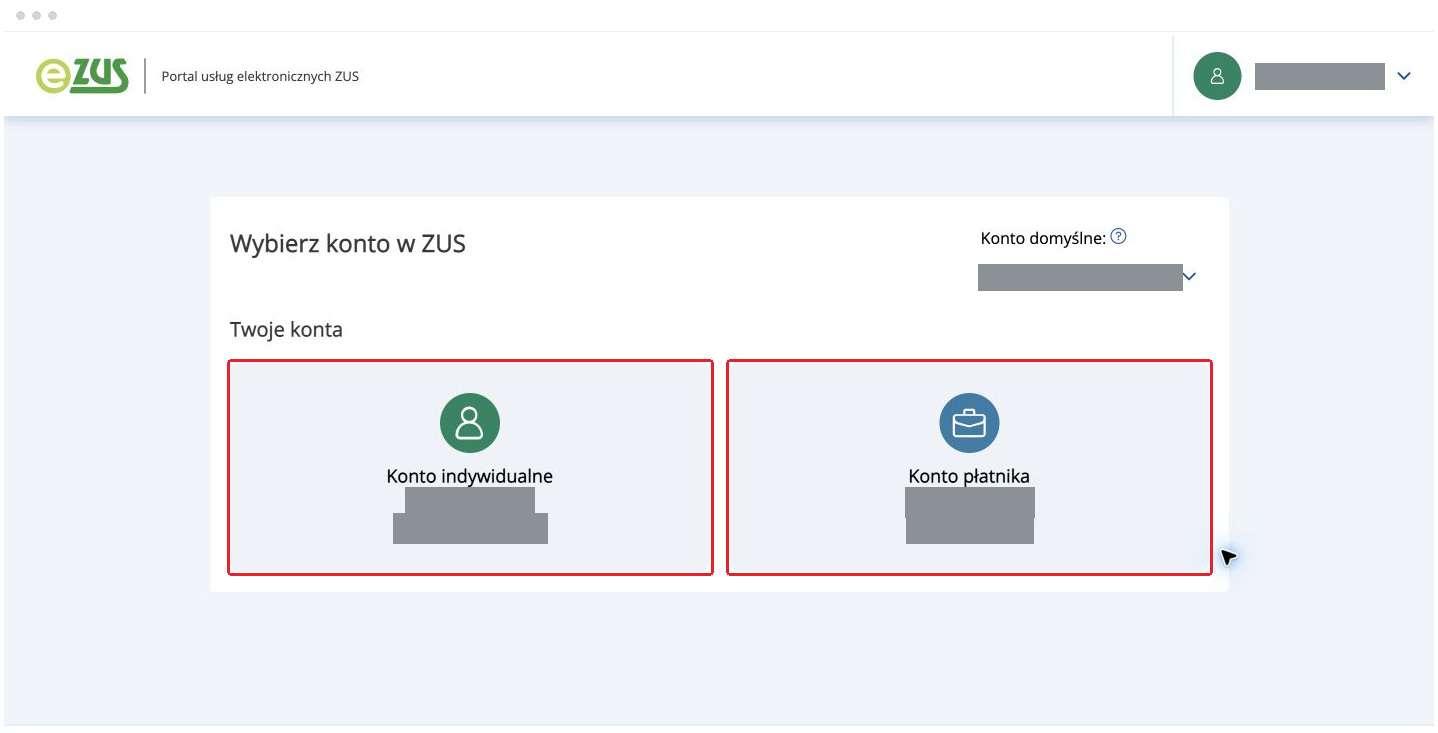
After signing in, select Konto płatnika for your JDG. If another account is already open, click your name in the top right and select Wszystkie dostępne konta. Konto indywidualne is your personal account; RWS and RWN applications are submitted from Konto płatnika. Choosing Konto indywidualne opens the previous portal with Ogólny and Ubezpieczony tabs.
Finding the Right Section
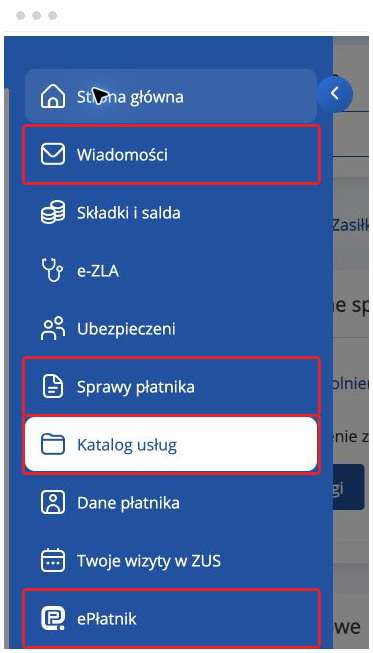
In the new Płatnik account, expand the left menu with Rozwiń menu boczne. After choosing a section, you can collapse the menu so it does not cover the page.
| Task | Section |
|---|---|
| Create an RWS or RWN application | Katalog usług → search for the application code → Przejdź do usługi |
| Find a draft, a submitted application, its UPP or a reply | Sprawy płatnika → the relevant case → Zobacz szczegóły |
| Submit ZUA, ZZA, ZWUA, DRA or RCA | ePłatnik |
Płatnik and ePłatnik look different
Checked in November 2026: Płatnik uses the new interface, while ePłatnik opens the previous interface with Kreatory and Dokumenty sections. The older-looking forms inside ePłatnik shown in the following guides remain current.
Sent Applications and Drafts
In Sprawy płatnika, switch to Według statusu: Robocze contains drafts and Wysłane contains submitted applications. In the selected list, search for the application code and open ⋯ → Zobacz szczegóły.