Registering as a VAT-UE taxpayer
Why register for VAT-UE
If you plan to provide services to companies in other EU countries, you generally need to register for VAT-UE before starting.
Note
By this point you should already have NIP and REGON. See the VAT-UE registration requirements.
0. Getting started
On Biznes.gov.pl, choose Zmień dane w CEIDG under Usługi CEIDG, then click Rozpocznij.
If Podpowiadanie danych appears, select your profile and click Dalej.
1. Important information first
Read it, then hit DALEJ
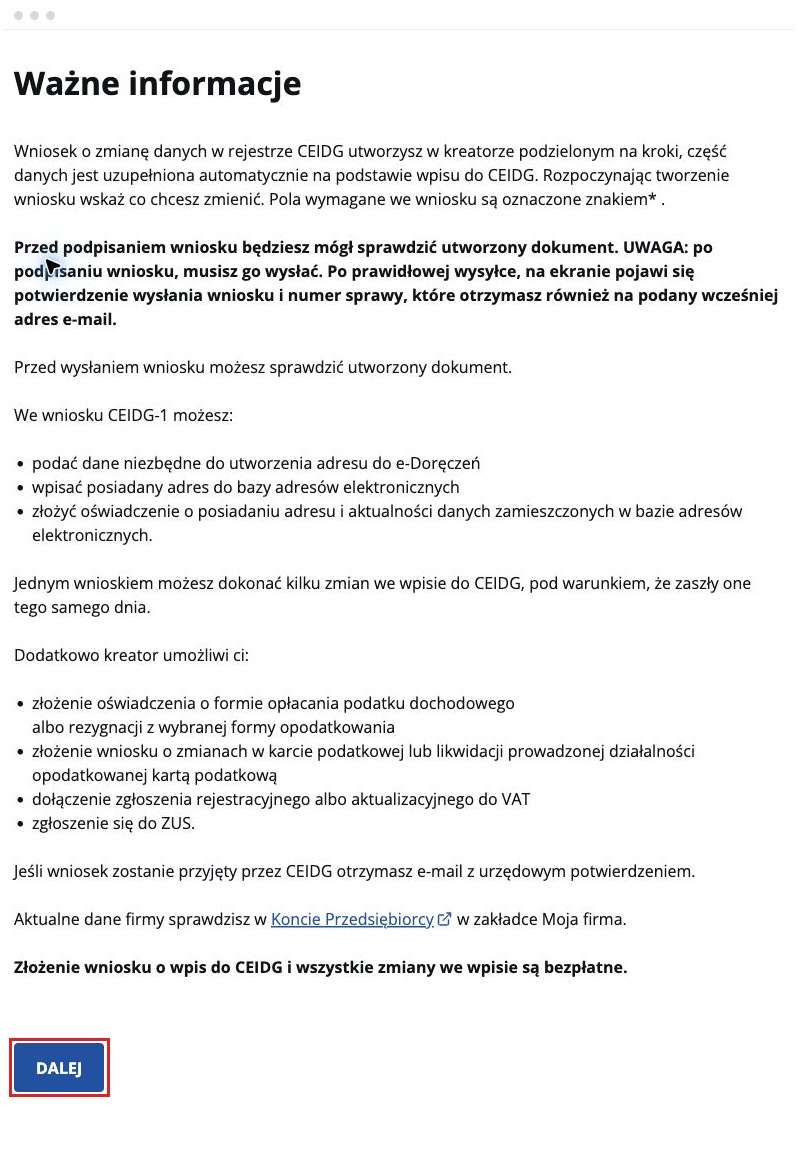
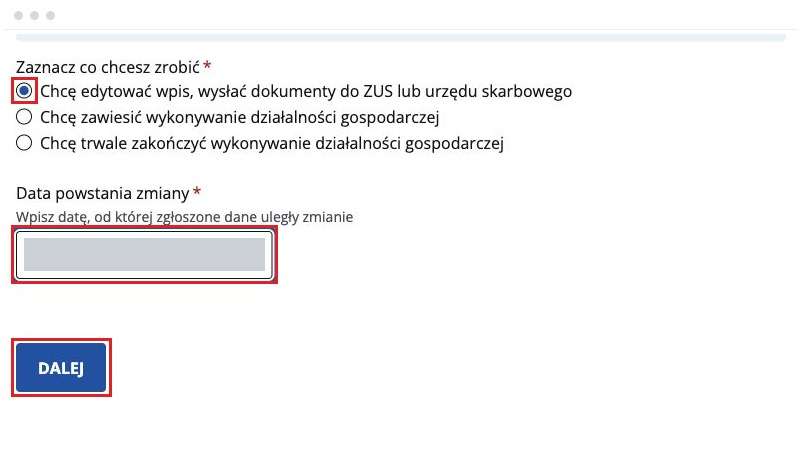
2. Purpose of filing the form
Choose Chcę edytować wpis, wysłać dokumenty do ZUS lub urzędu skarbowego and enter Data powstania zmiany.
This is the CEIDG change date, not the VAT registration date.
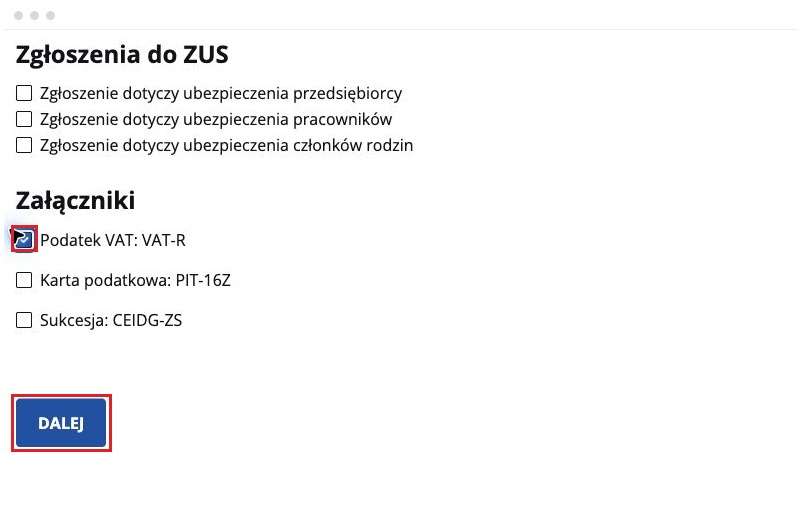
3. Pick what you want to change
Under Załączniki, select Podatek VAT: VAT-R. The wizard also requires social insurance, the tax office and e-Doręczenia; it may select related address and contact fields automatically.
If you are a non-EU citizen, follow the instruction on this page to select Dane osobowe, obywatelstwo and provide the current residence document details.
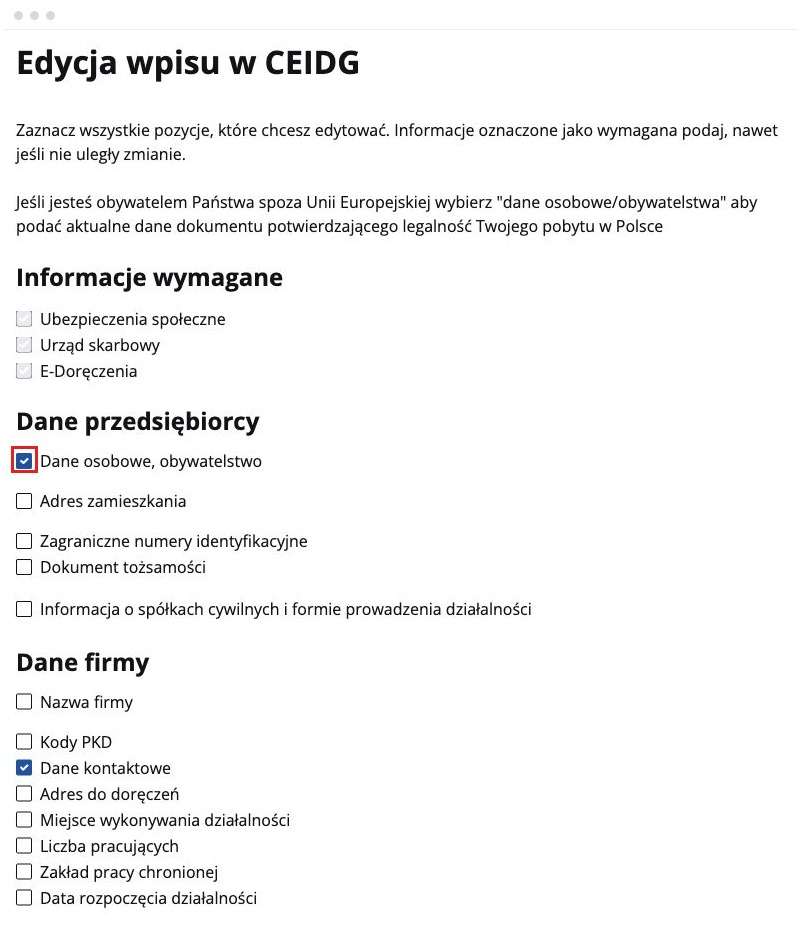
Leave unrelated changes, including PIT and additional ZUS forms, unselected.
4. Foreigner's data
Enter the document that gives you the right to run a JDG in Poland and its issuing authority.
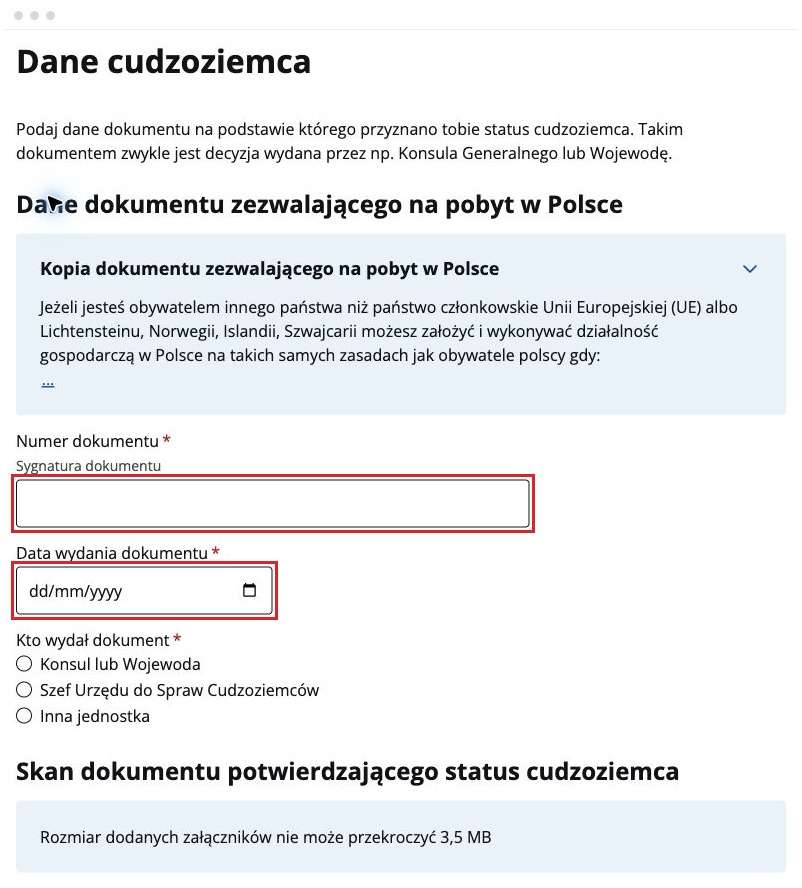
See the JDG registration guide for the document fields.
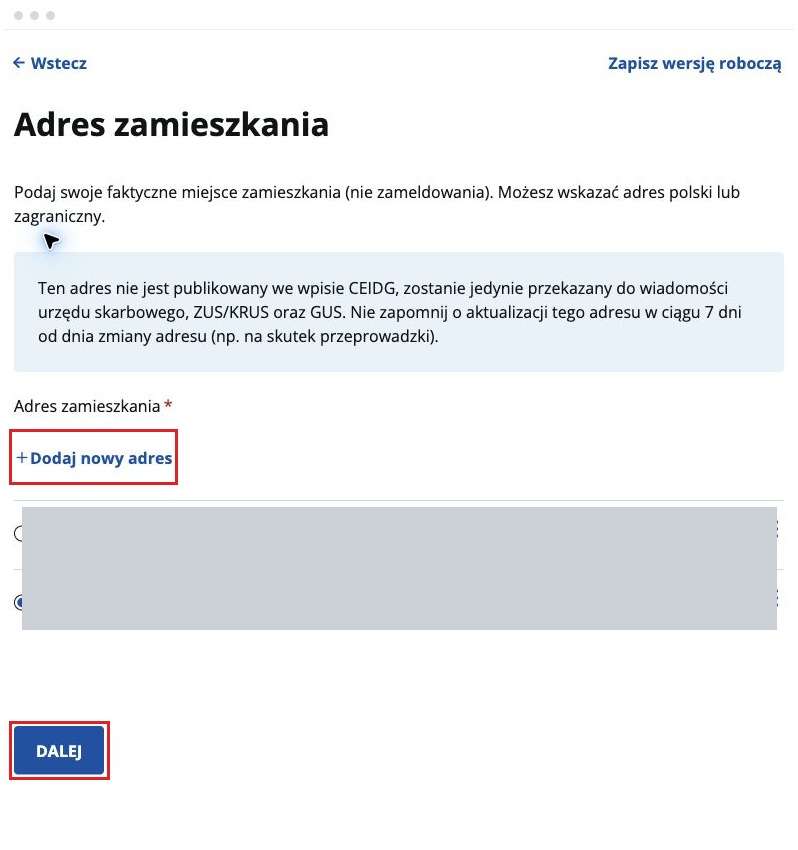
5. Residential address
Change your residential address if needed.
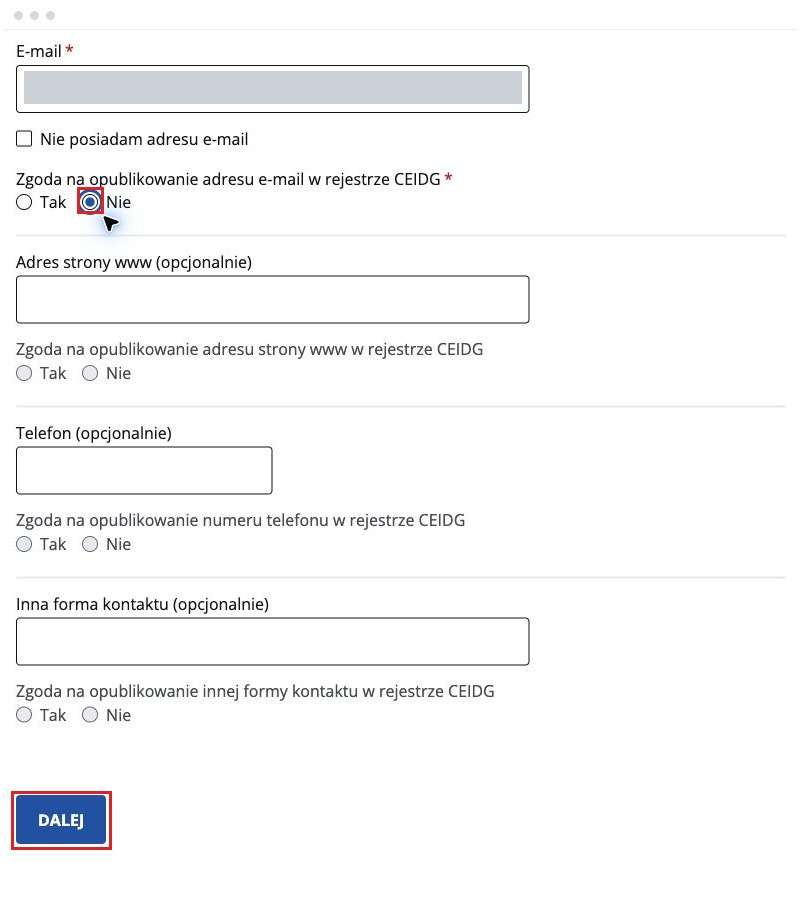
Contacts and e-Doręczenia
The wizard may also ask for company contacts. Publication consent is separate for each contact; choose Nie if you do not want the supplied details published in CEIDG.
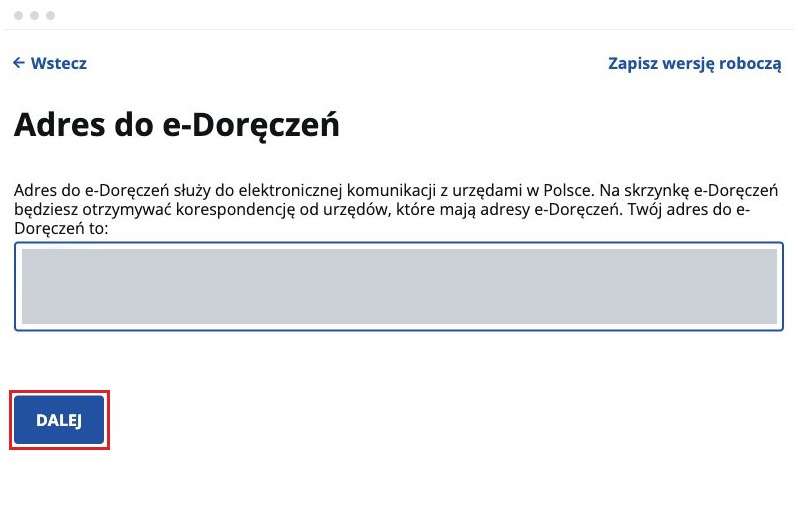
If you already have an e-Doręczenia address, the wizard displays it and the owner's details. Check them and click Dalej.
On Administratorzy skrzynki e-Doręczeń, leave the checkboxes empty if you are not changing administrators.
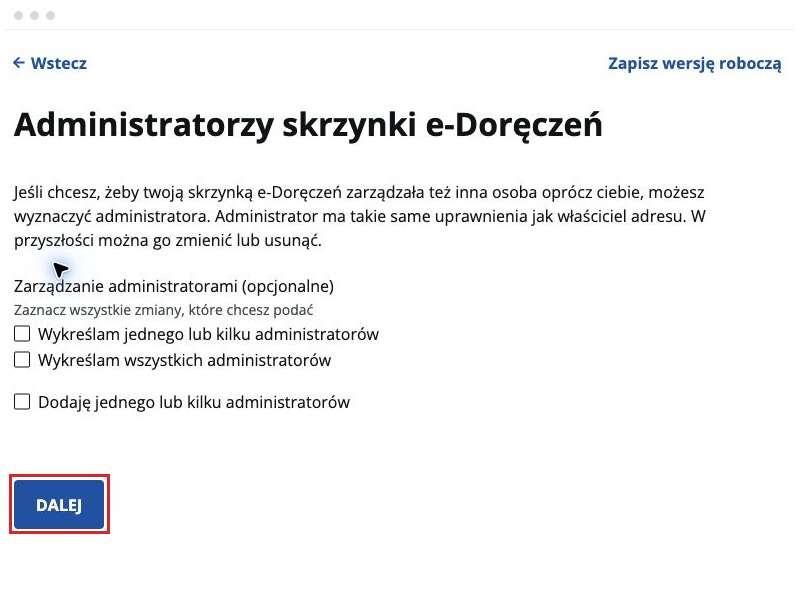
If you do not yet have an address, complete the creation or registration steps shown by the wizard.
6. Social insurance
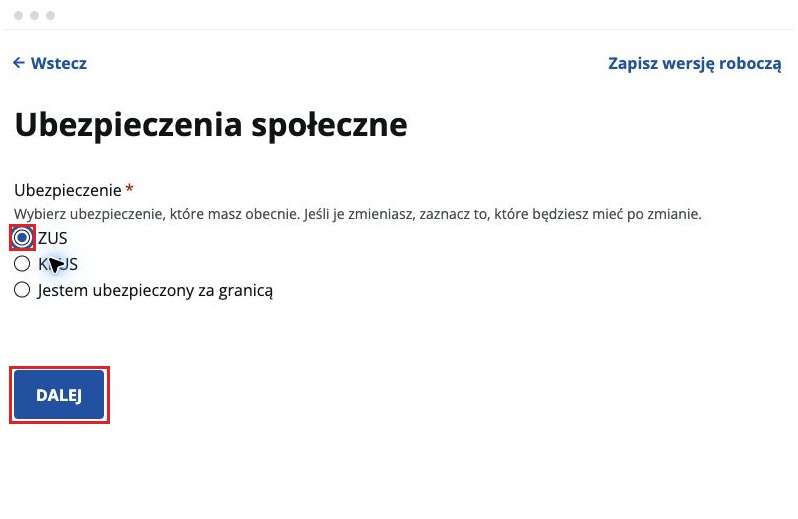
Select your current insurance institution, normally ZUS.
7. Changing ZUS data
If you are not changing your insurance, leave the forms under Zgłoszenia do ZUS unselected.
8. Tax office
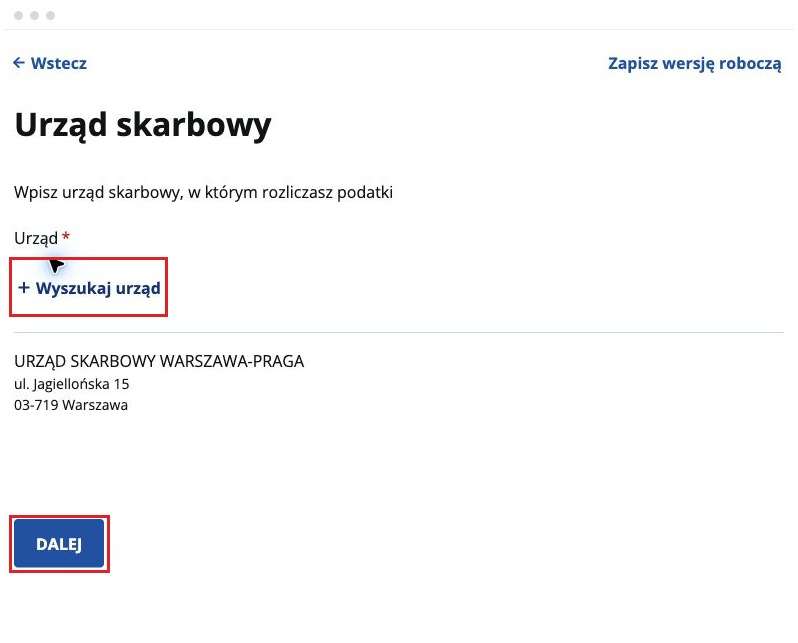
You can switch tax offices if you need to.
9. The actual point of the application
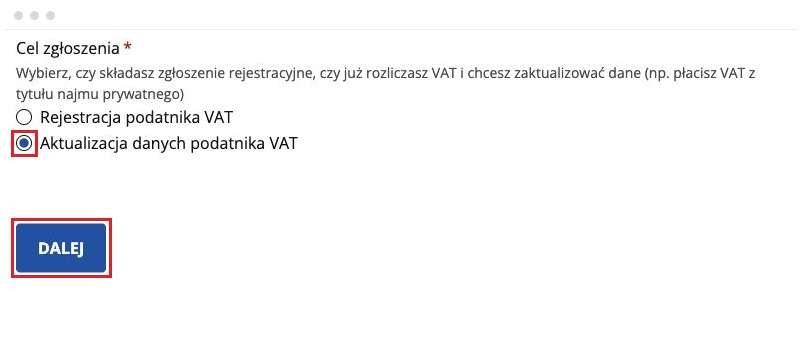
Choose Rejestracja podatnika VAT if you have not previously registered as an active or exempt VAT taxpayer. If Polish VAT or VAT-UE is already registered, choose Aktualizacja danych podatnika VAT.
10. Domestic Polish VAT
Choose whether you will use the Polish VAT exemption.
- If you do not need Polish VAT, choose Tak, then art. 113 ust. 1 lub 9 ustawy. Enter the exemption start date.
- If you already have active Polish VAT registration, choose Nie.
- If you want to register for active Polish VAT at the same time, use the Polish VAT registration instructions.
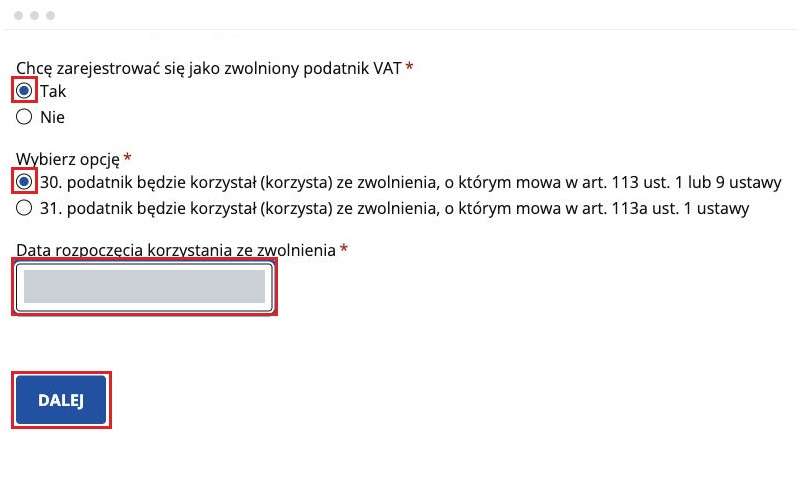
The art. 113a option is for businesses established in another EU country.
11. Identification data
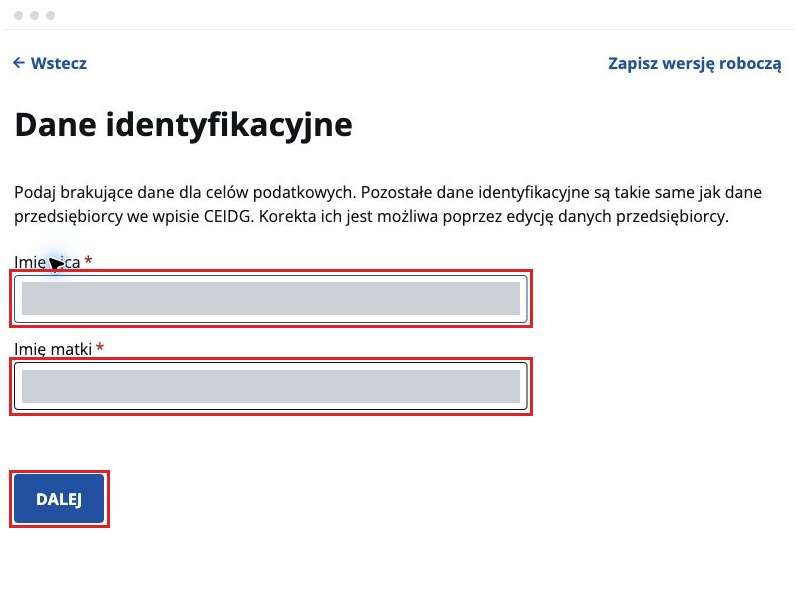
Father's and mother's names. Best if the Latin spelling matches what's in their documents. Just in case.
If you already have active Polish VAT registration
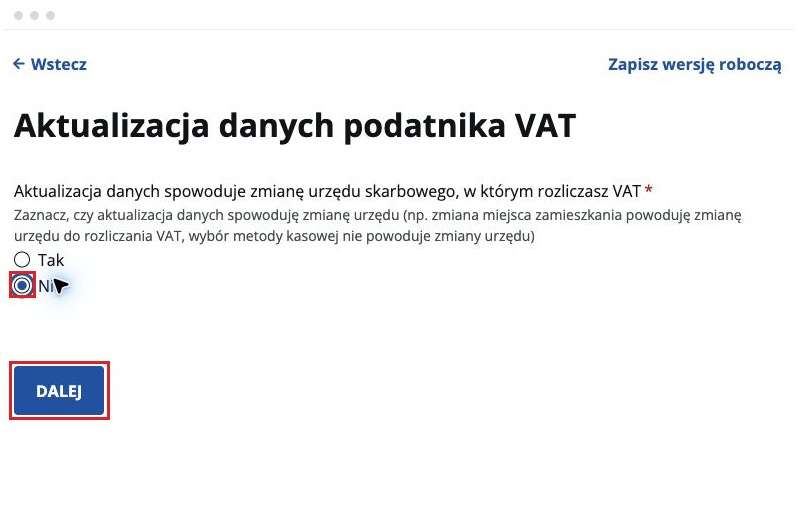
On Aktualizacja danych podatnika VAT, answer Nie to the tax-office change question if the office stays the same.
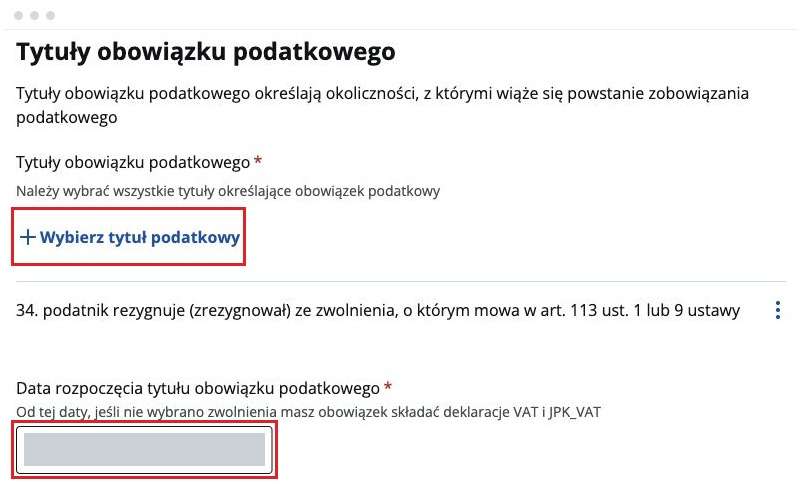
On Obowiązek podatkowy w zakresie podatku od towarów i usług (VAT):
- Under Wybierz tytuł podatkowy, choose the same reason as in your original Polish VAT registration.
- Under Data rozpoczęcia tytułu obowiązku podatkowego, enter the same date. Check your old VAT-R or ask your accountant.
Leave financial services unselected
Leave both options under Zwolnienie usług finansowych unselected.

For the cash method, special procedures and quarterly returns, choose Bez zmian if you are keeping the existing settings.
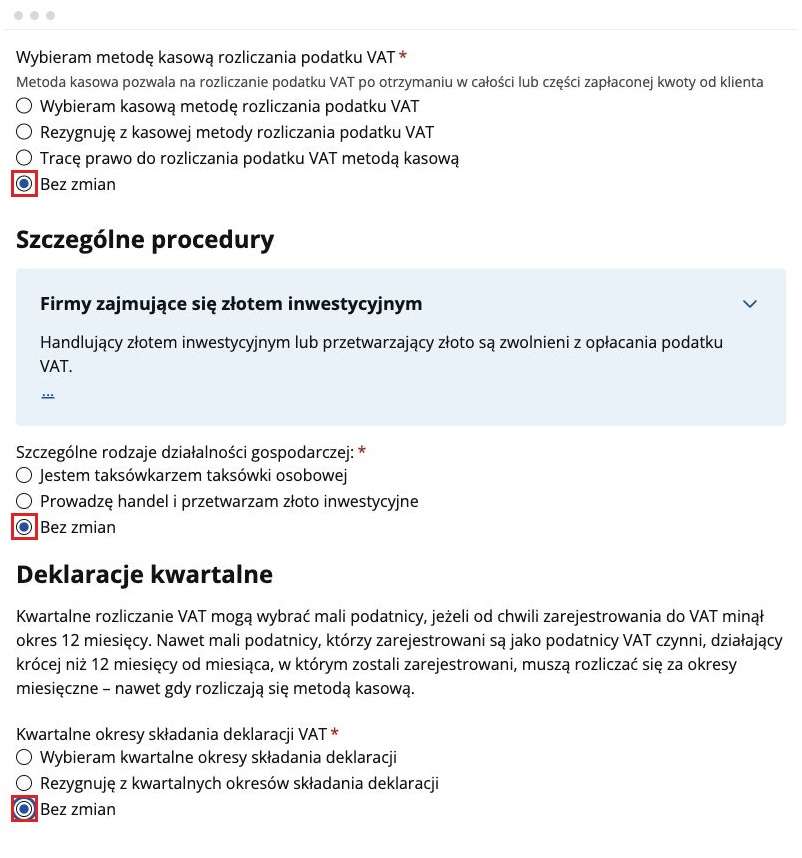
12. VAT-UE registration
Choose Chcę zarejestrować się do VAT-UE. If you are updating VAT-R, an Jestem zarejestrowanym podatnikiem VAT UE option may also appear; use it only if VAT-UE is already registered.
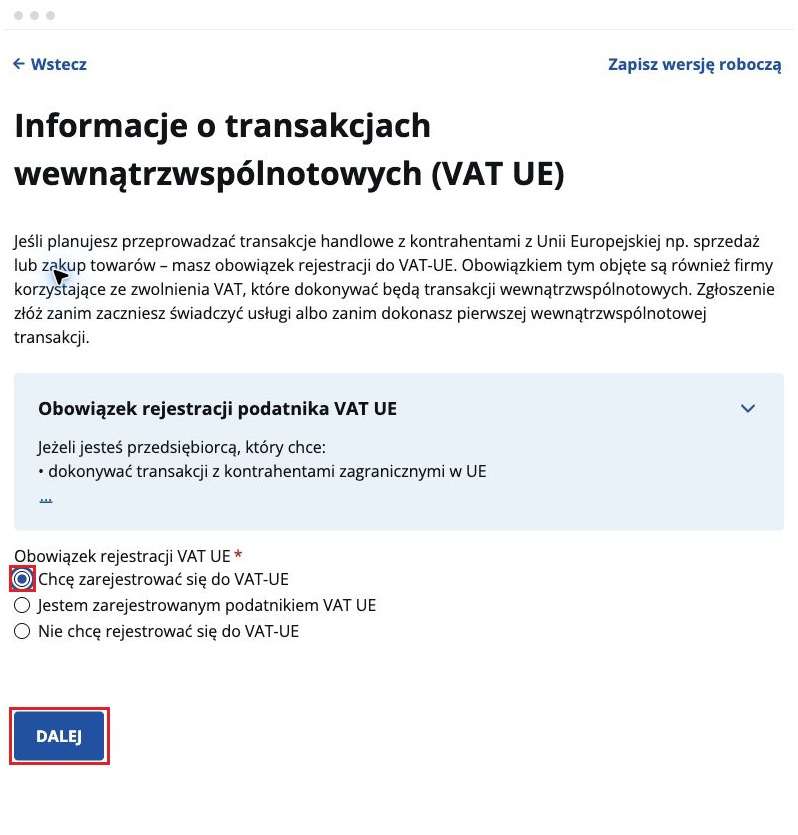
13. Registering as a VAT UE taxpayer
This screen depends on your Polish VAT status.
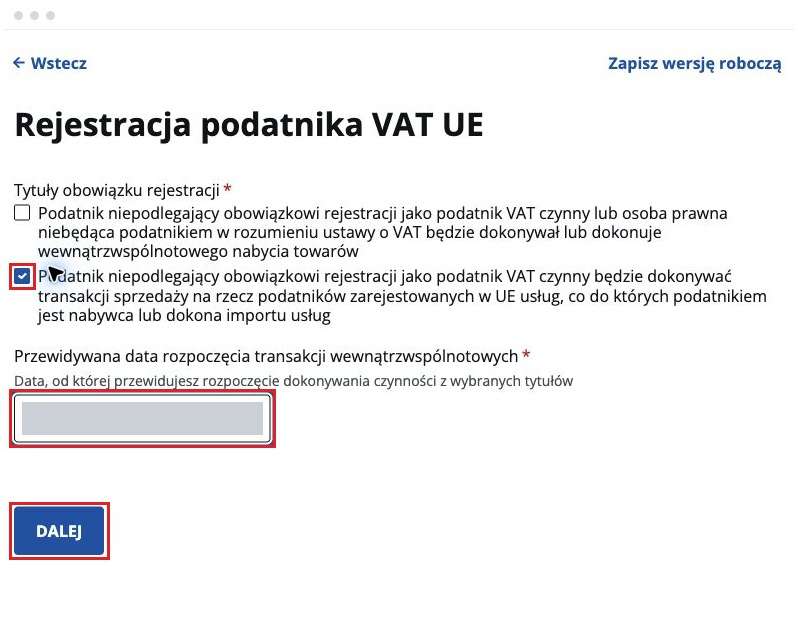
If you retain Polish VAT exemption, select the applicable Tytuły obowiązku rejestracji:
- for services, use the option mentioning sales of services to EU taxpayers for which the customer accounts for VAT, or imports of services;
- select the intra-Community acquisition of goods option only if it applies to your transactions.
If you are already an active Polish VAT taxpayer, the screen instead shows an explanation of EU transactions and a date field.
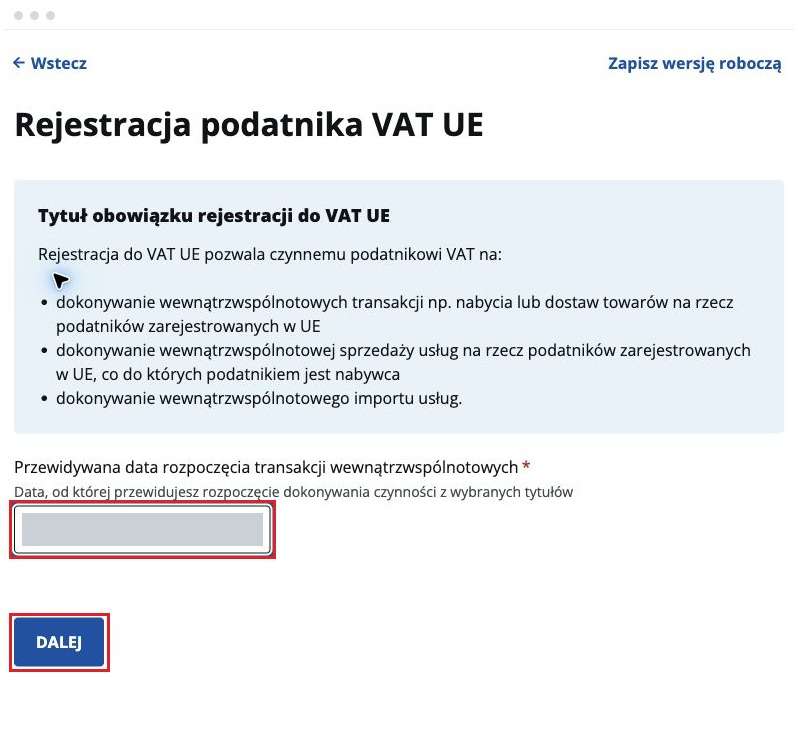
Under Przewidywana data rozpoczęcia transakcji wewnątrzwspólnotowych, enter the planned start date of EU transactions, not your original Polish VAT registration date.
VAT returns for an existing Polish VAT taxpayer
If Rodzaj składanych deklaracji VAT appears, keep the existing return type and first Polish VAT return period. Adding VAT-UE does not change them.
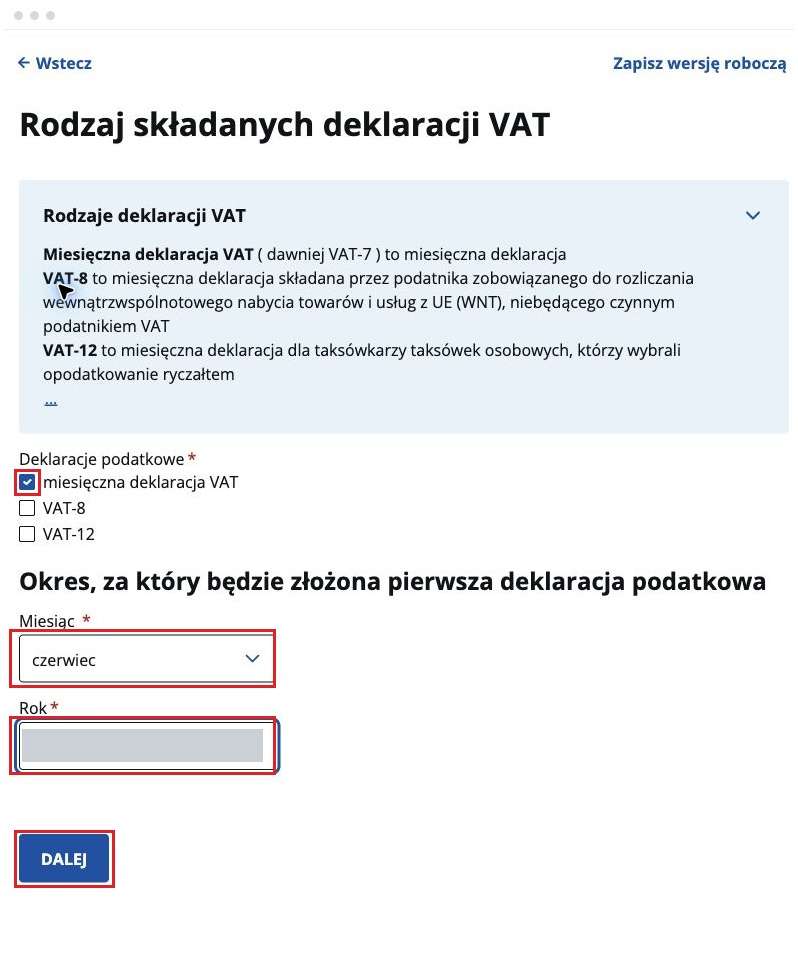
For the exempt services-only route above, this screen is skipped.
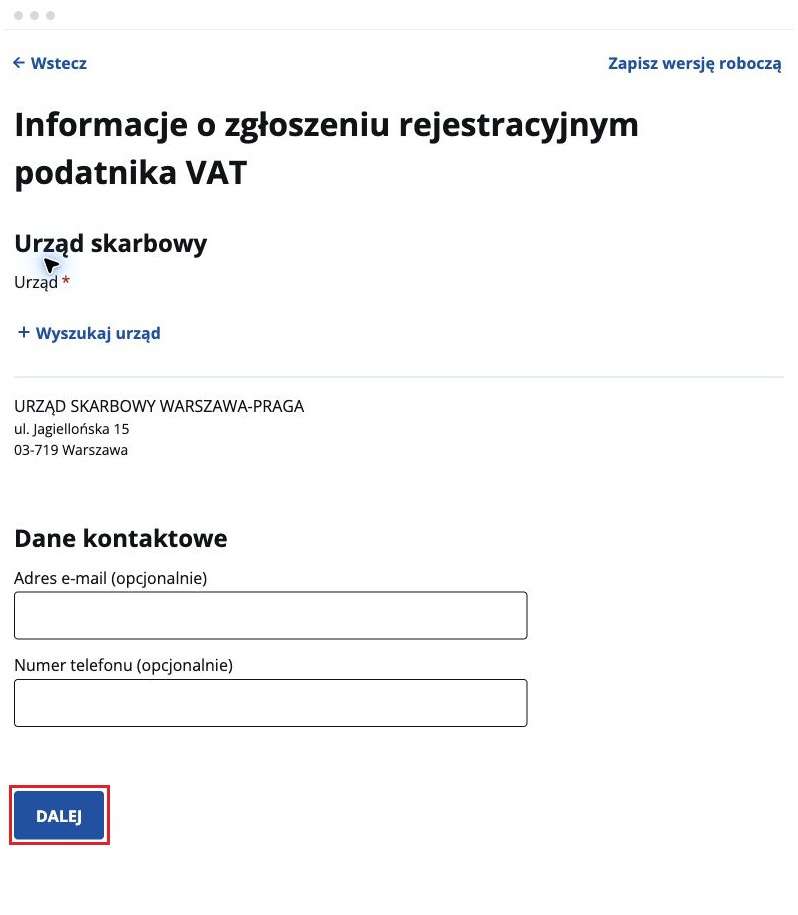
14. Applicant information
You can pick another tax office and add contact details if you want. Optional — but it can make talking to the office easier.
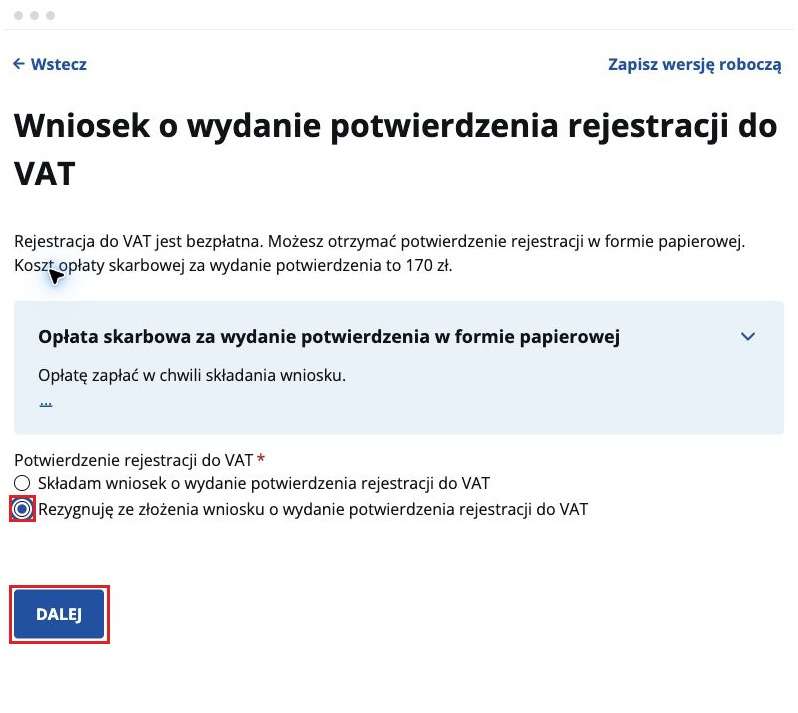
15. Confirmation of VAT taxpayer registration
You probably don't need this.
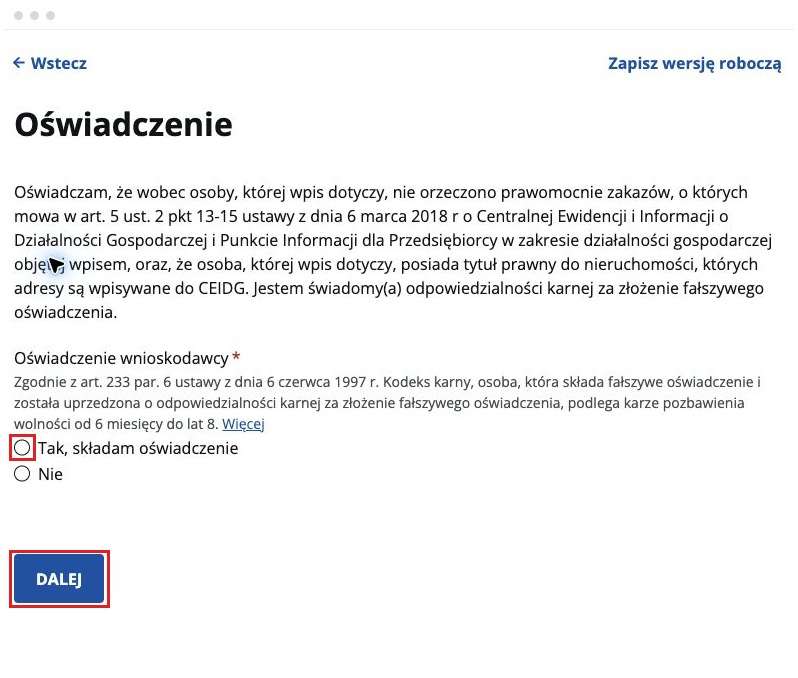
16. Liability warning
On your own head be it — you confirm you want to file and you're not up to anything shady.
17. Where to get more info
Just hit DALEJ
18. Summary screen
Just hit DALEJ
19. Signing documents
Tip
Click the xml links to download the forms for your records.
Pick how you sign. Trusted profile and bank login are basically the same thing. If you set up trusted profile through a bank, you can use bank login.
20. Sending documents
After a quick sign-and-send, you're done.
21. Speeding up VAT-UE registration
The tax office may ask for documents confirming your right to use the business address, for example:
"w związku ze złożeniem do tutejszego Urzędu Skarbowego złożenia druku rejestracyjnego VAT-R, proszę o przestawienie prawa do lokalu w którym jest wykonywana działalność gospodarcza."
Reply with documents appropriate to your situation, such as a lease or the property owner's consent. See the VAT registration guide for an example.
Tip
This step isn't mandatory, but it can shave a bit of time off the process. Same idea as for domestic VAT registration.
22. Wrap-up
Wait for confirmation that CEIDG accepted the application, or a request to correct it. The tax office may separately ask for supporting documents.
Check VAT-UE registration in VIES. Your VAT-UE number is your NIP prefixed with PL. Acceptance of the CEIDG application is not itself confirmation that the number is already active in VIES.
There is also a Telegram bot for monitoring the registration status.