Initial setup
Before you start working with infakt, you need to do some minimal account configuration. Go to Ustawienia
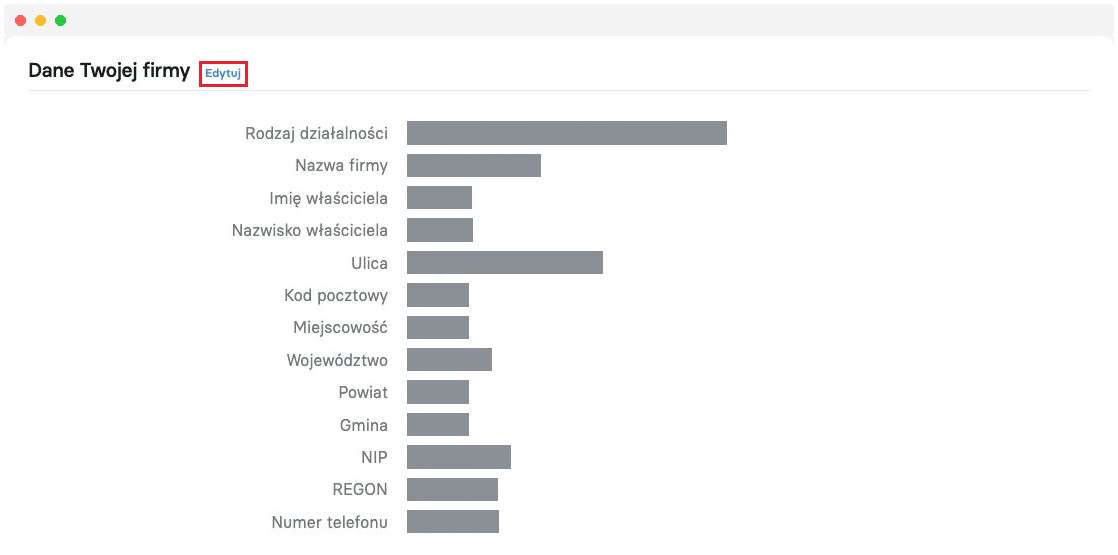
To load details from the registry, click Edytuj beside Dane Twojej firmy, then Wyszukaj dane firmowe po numerze NIP. Enter your NIP and click Wyszukaj.
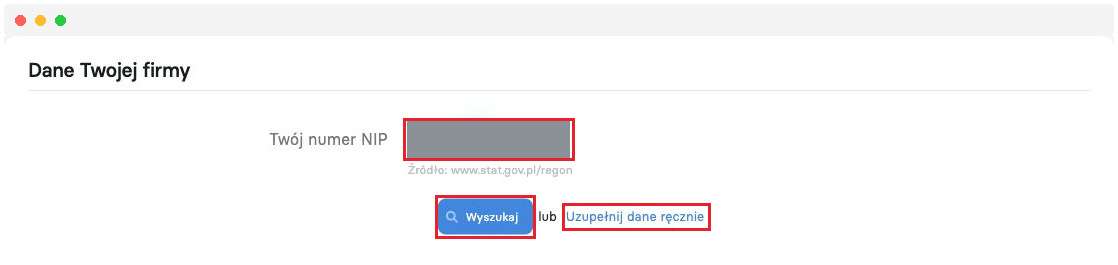
Fill in the missing fields, also fill in the correspondence address (Adres korespondencyjny) and your "seller" details (Dane Sprzedawcy).
Activating the accounting module
To enable accounting, open the Księgowość tab on the main screen and fill in the requested details. Self-service accounting is a paid service with a free trial; check the current terms on the inFakt accounting program page.
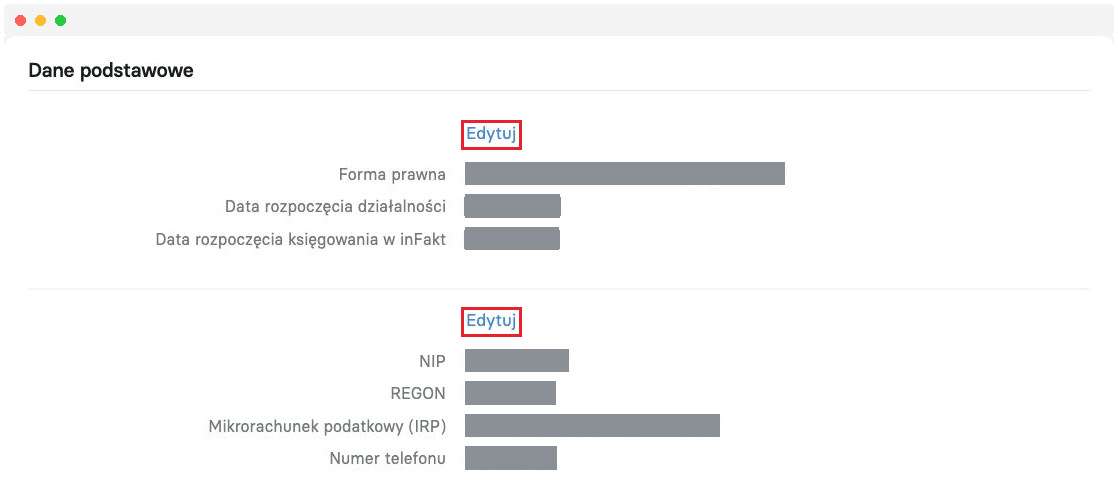
Once enabled, check Ustawienia -> Księgowość -> Dane podstawowe: registration details, the business start date and the date you start keeping records in inFakt. If you start keeping records when you open your business, the dates match. PESEL and other owner details are in the separate Dane właściciela section. Click Edytuj beside the relevant block to change its settings.
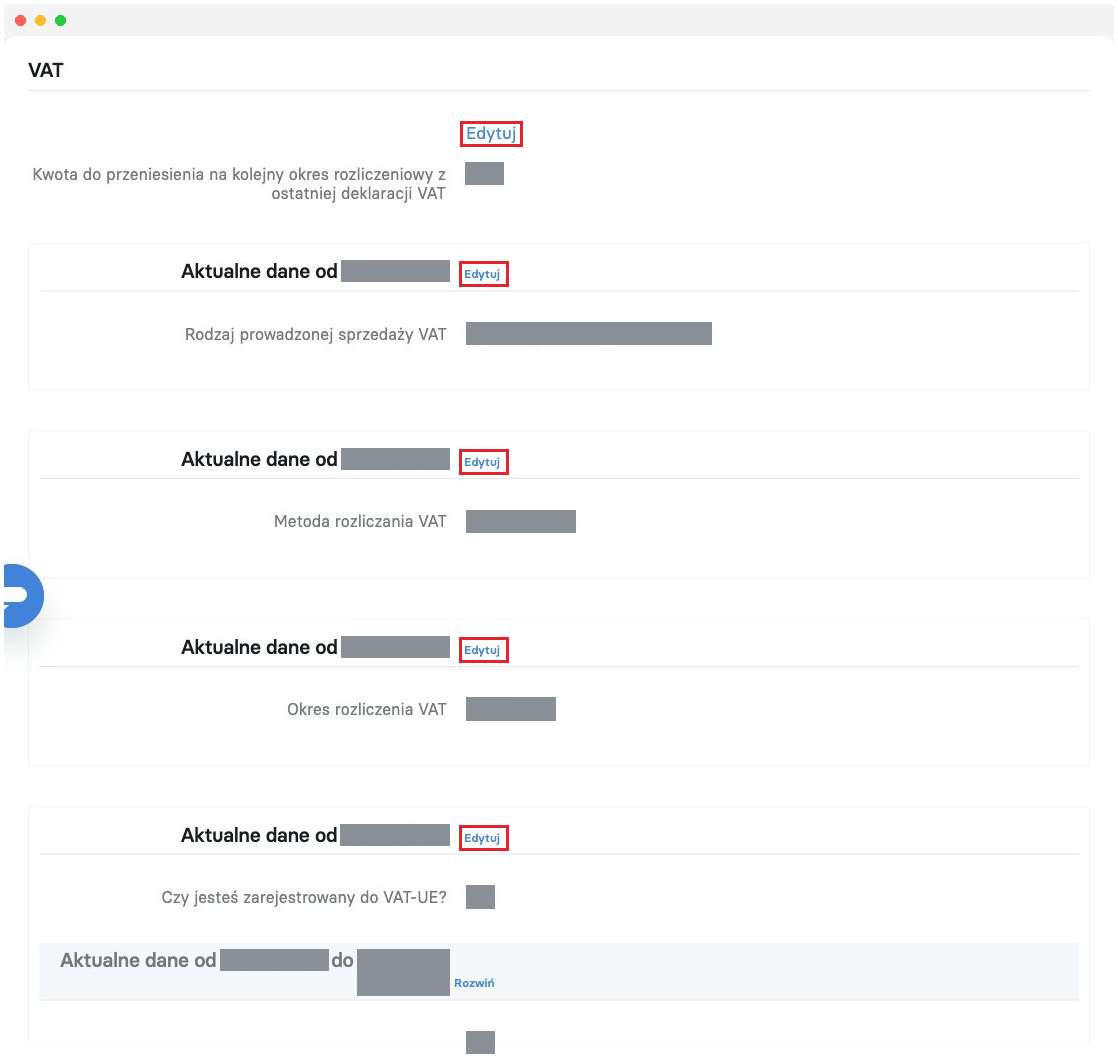
Under Ustawienia -> Księgowość -> VAT, check Rodzaj prowadzonej sprzedaży VAT, Metoda rozliczania VAT, Okres rozliczenia VAT and VAT-UE registration. The Kwota do przeniesienia na kolejny okres rozliczeniowy z ostatniej deklaracji VAT field holds VAT carried forward from the previous return.
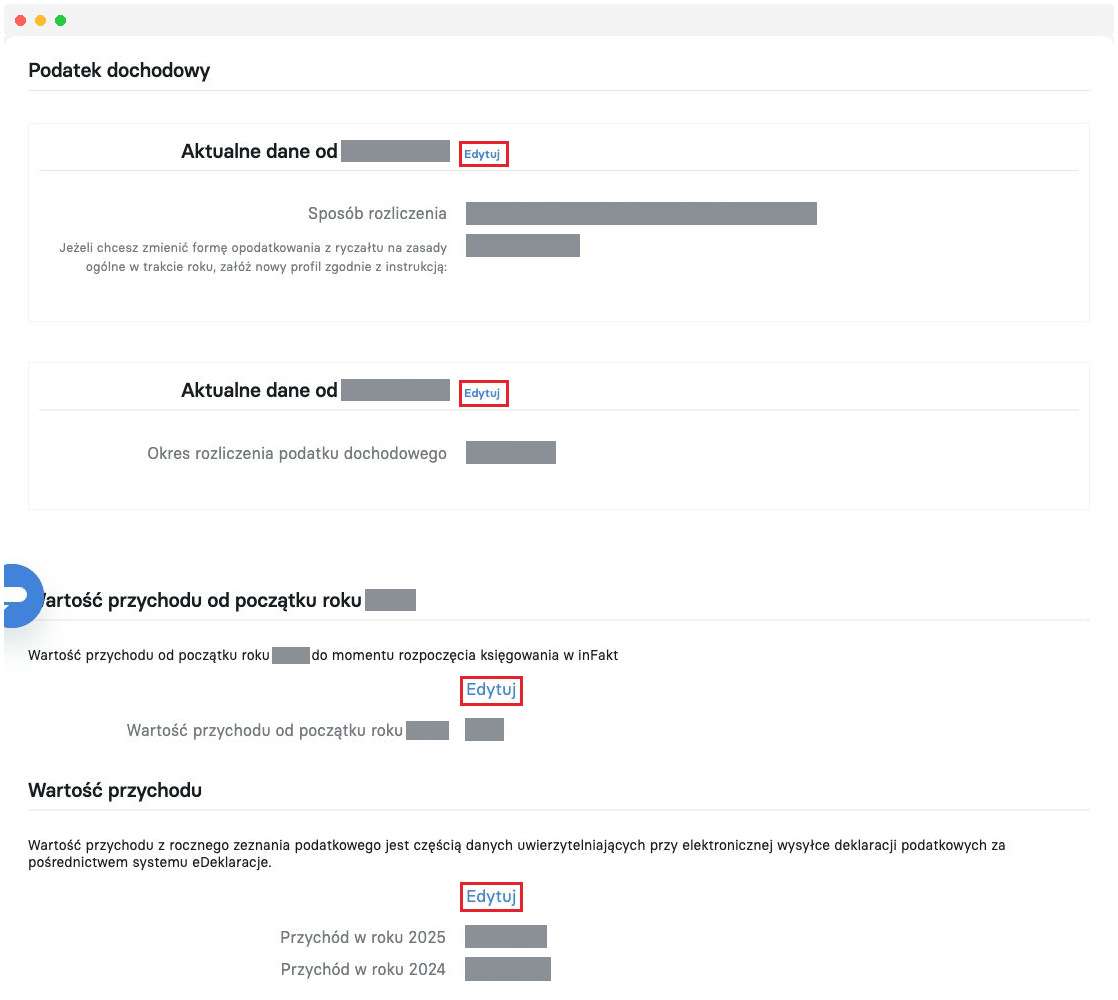
Check your tax system and PIT settlement period under Ustawienia -> Księgowość -> Podatek dochodowy. Most IT folks use Ryczałt od przychodów ewidencjonowanych and monthly PIT settlements (Okres rozliczenia podatku dochodowego).
If you previously kept books elsewhere, enter revenue from the beginning of the year up to the start of accounting in inFakt under Wartość przychodu od początku roku. The separate Wartość przychodu block below holds revenue from annual tax returns used to authorize electronic tax filings.
ZUS settings
The next step is configuring your ZUS parameters. Go to Księgowość -> Składki ZUS, or in settings Ustawienia -> Księgowość -> ZUS. If the Uzupełnij brakujące dane button appears, fill in the missing details. To change an individual parameter, click Edytuj beside it.
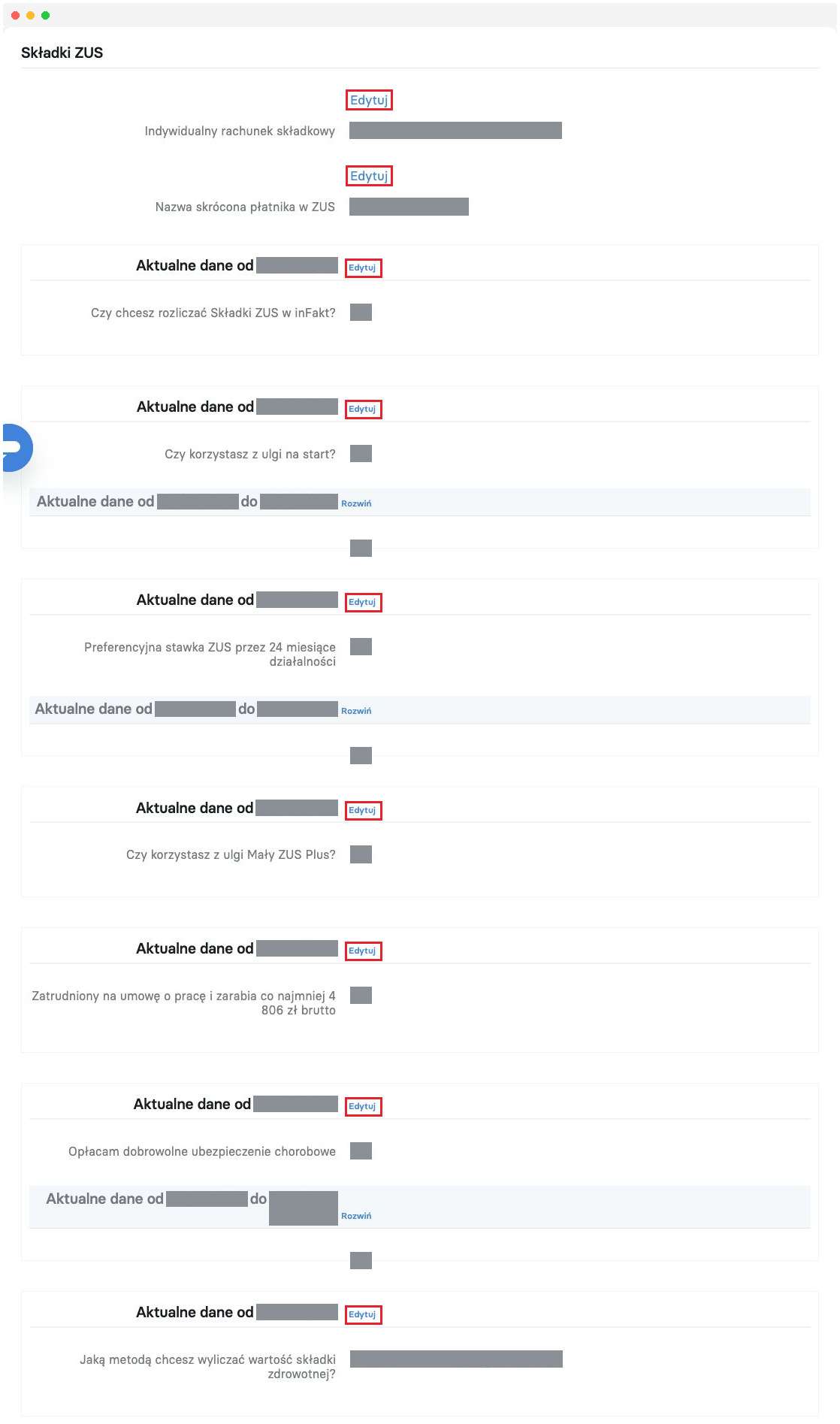
Choose your settings. Typical settings for beginners who qualify for reduced contributions:
- Czy korzystasz z ulgi na start? Tak
- Preferencyjna stawka ZUS przez 24 miesiące działalności Tak
- Jaką metodą chcesz wyliczać wartość składki zdrowotnej? Na podstawie bieżącego przychodu
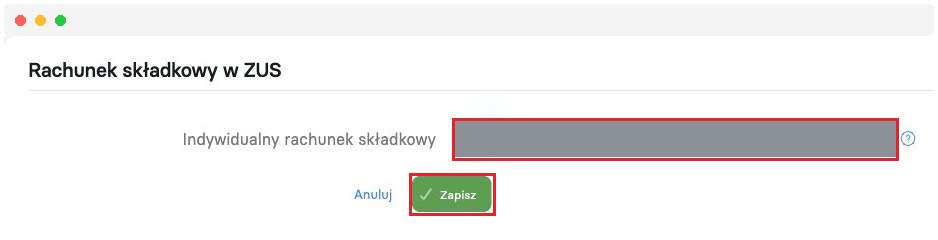
If you plan to pay your ZUS contributions through infakt, it makes sense to also add your ZUS account number. Click Edytuj beside Indywidualny rachunek składkowy, enter the account number and click Zapisz. You can find the account number in the letter ZUS sends after registration, or on the portal itself at ZUS -> Panel Płatnika -> Moje dane -> Numery rachunków składkowych
Invoice settings
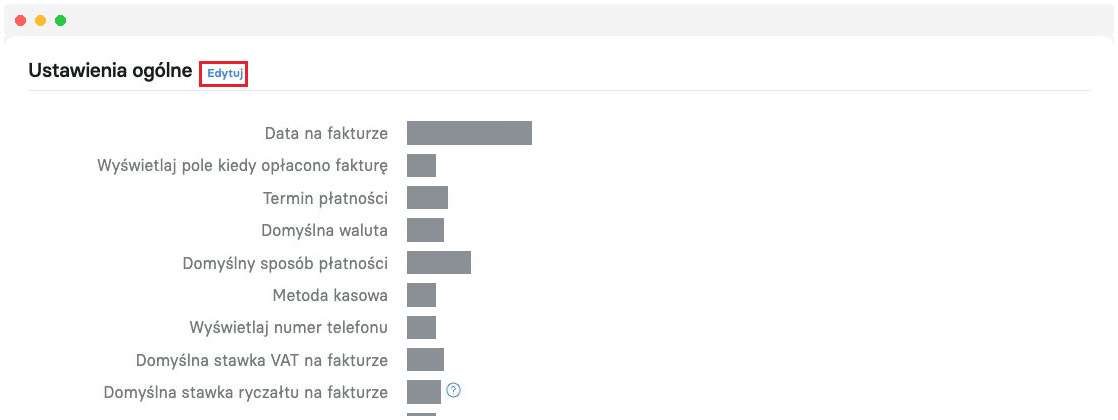
Go to Ustawienia -> Faktury -> Ogólne and click Edytuj to configure some default values for your invoices.
The main settings that affect invoice content are Domyślna waluta (pick the one you use most often) and Domyślny sposób płatności (most commonly Przelew — bank transfer).
You can also set Domyślna stawka VAT na fakturze and Domyślna stawka ryczałtu na fakturze — default rates that you can override for an individual service or invoice.
Setting up services
Add a product (in our case — a service) on the Przychody -> Produkty -> Nowy produkt page.
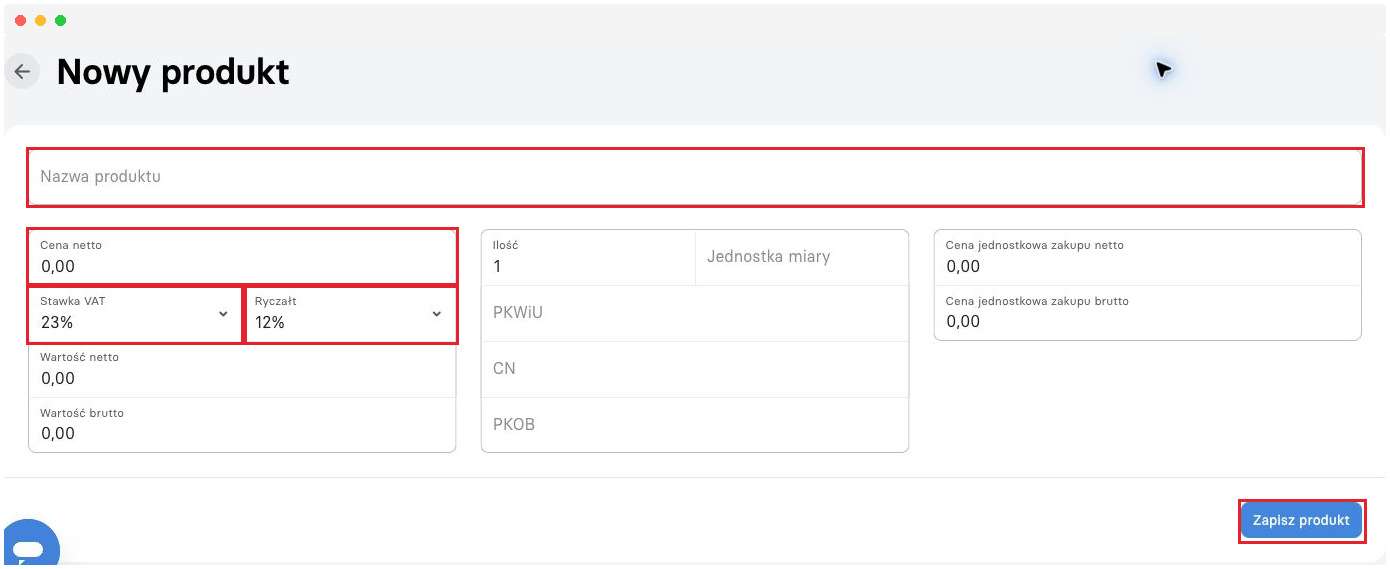
Typical options for programmers:
- usługi komputerowe
- Tworzenie oprogramowania
- usługi oprogramowania
It's important to pick something that matches your line of work and your PKWiU code. Depending on your contract, you may have a fixed monthly amount or an hourly rate. Enter Cena netto = your rate (per month or per hour).
The VAT rate depends on who you provide the service to (if you are not a VAT payer):
- service within Poland —
zw.After selecting it, a selector will appear for choosing the exemption basis, usually zwolnienie podmiotowe. - contractor in another EU country —
np.with the annotation art. 28b (the place of supply is the contractor's country). - contractor outside the EU (e.g. the US or Canada) —
np.
If you are a VAT payer, for services within Poland you specify your VAT rate (usually 23%) instead of zw.
Choose your Ryczałt rate for this service. The rate must match the PKWiU code. For programmers it's 12%. Once completed, click Zapisz produkt.
Setting up contractors
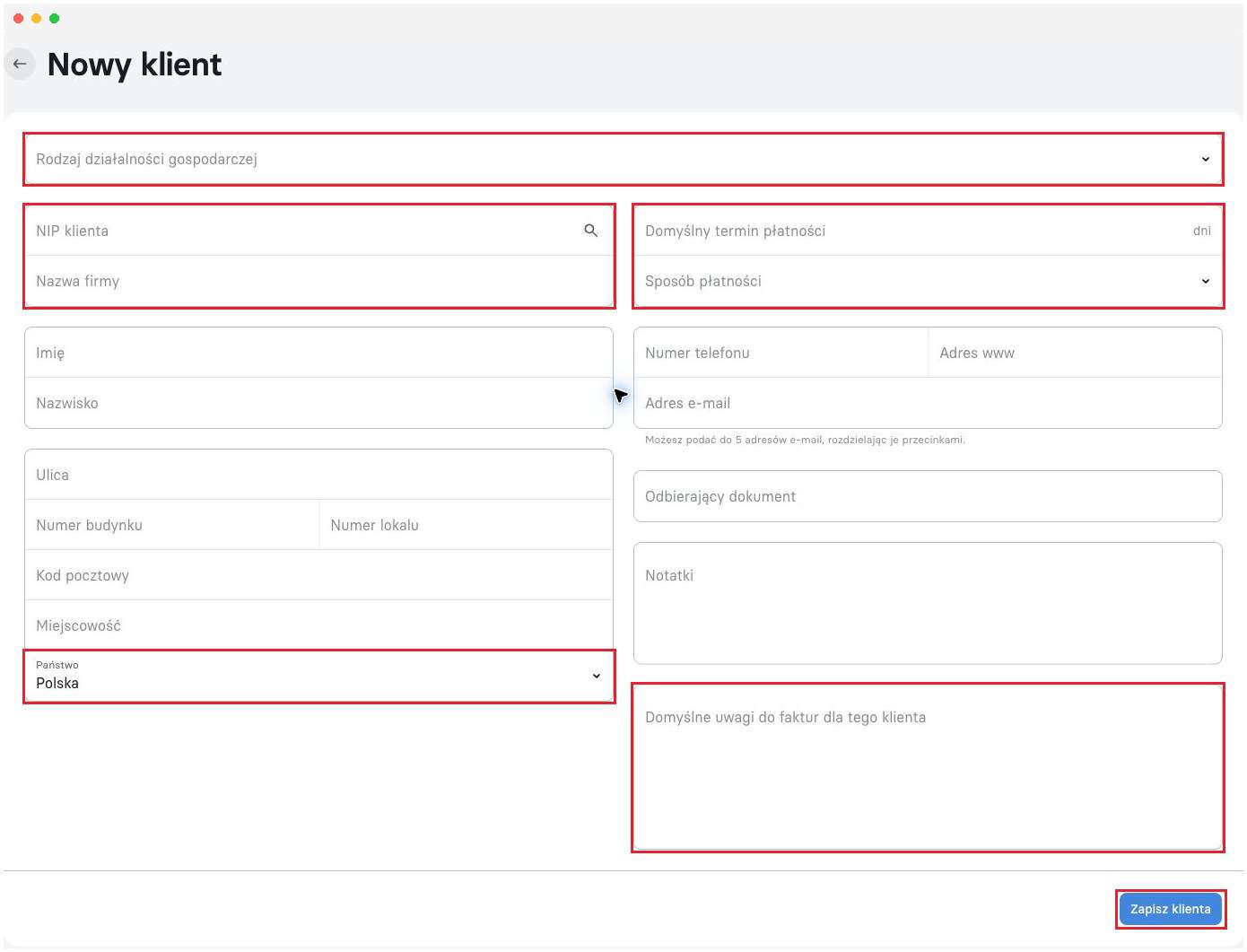
Add your client(s) on the Przychody -> Klienci -> Nowy klient page.
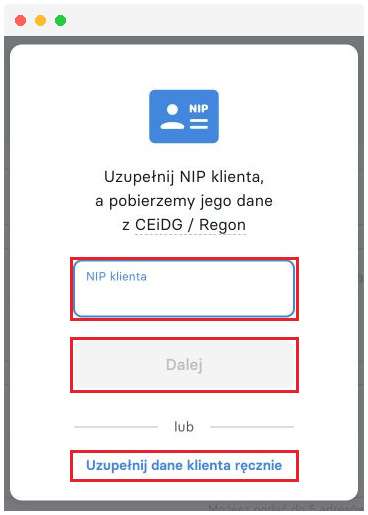
Enter the NIP and click Dalej, or choose Uzupełnij dane klienta ręcznie if the client is outside Poland. In the form, select the client type in Rodzaj działalności gospodarczej and the country in Państwo. If the client is outside the EU, it makes sense to save a comment for them in the Domyślne uwagi do faktur dla tego klienta field:
Reverse charge - VAT is charged to the buyer. Do rozliczenia podatku VAT zobowiązany jest nabywca usługi (odwrotne obciążenie).
You can also configure payment method and terms for this client (if that matters to you). At the very least, it's worth setting the Sposób płatności (because it can get mixed up between different invoices with different payment types).
Set the payment term in Domyślny termin płatności. Once completed, click Zapisz klienta.
Add as many contractors as you need.
Setting up bank accounts
On the Ustawienia -> Faktury -> Konta bankowe page, click Dodaj nowe konto, fill in the account details and click Zapisz. Adding an account requires Hasło inFakt — your account password — for confirmation.
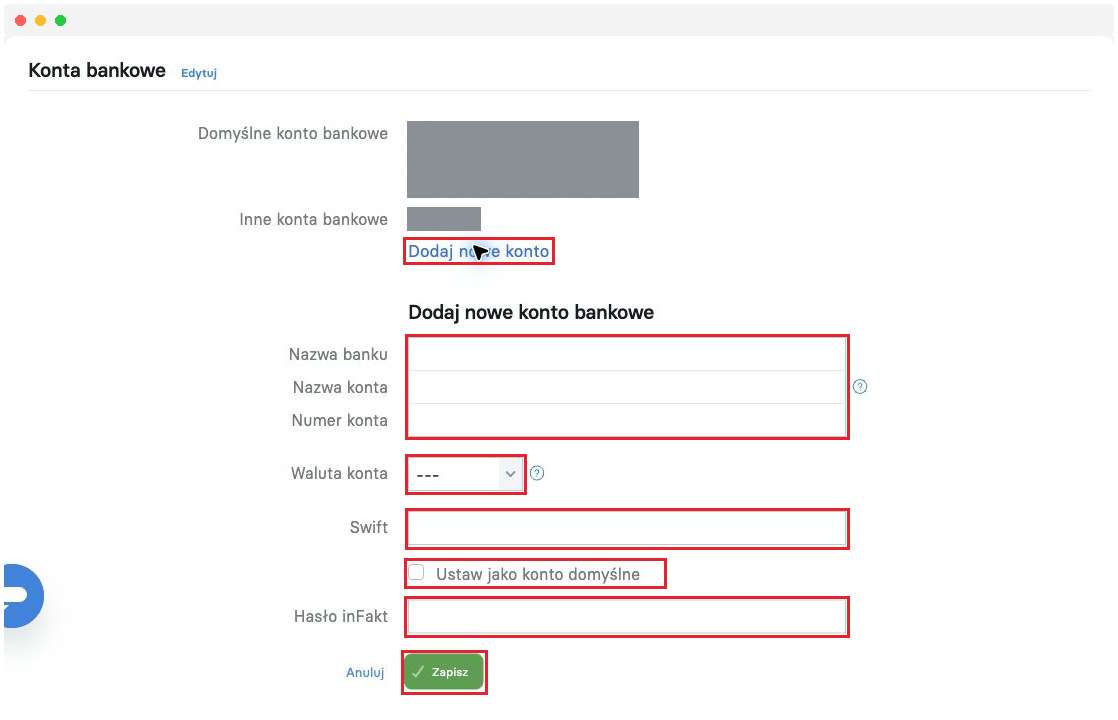
This account will appear on the invoice for the client.
If you have more than one account, the default one (Ustaw jako konto domyślne checkbox) will be shown on the invoice. You can switch it when creating an invoice.
Invoice signature
Go to the invoice template settings at Ustawienia -> Faktury -> Szablony
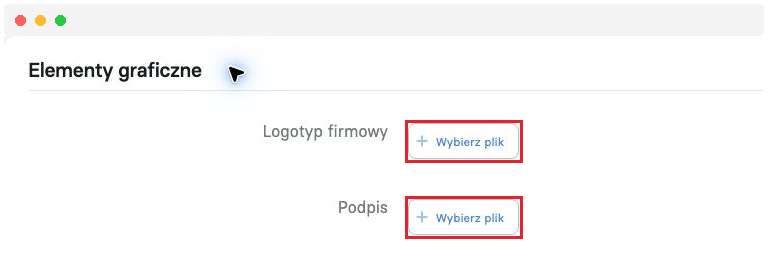
Click Edytuj in the Elementy graficzne block. The Wybierz plik buttons let you upload your company logo (Logotyp firmowy) and signature image (Podpis).
The signature image should have an aspect ratio of roughly 3:1 (I used an image of approximately 960x360).
Miscellaneous
If you're going to use infakt to send invoices to your clients, you can configure email texts in English and Polish. Go to Ustawienia -> Faktury -> Teksty and edit the email templates.